What Is Functional Testing? Types, Examples, Process and Techniques
Functional testing verifies whether software features behave as expected by checking inputs, actions, outputs, workflows, and business requirements.

Table of Contents
Share
<Summary/>
Functional testing checks whether features produce the expected result for defined inputs and actions.
Common types include unit, component, integration, smoke, sanity, system, regression, and user acceptance testing.
A structured process covers requirement analysis, test scenarios, test data, test cases, execution, defect reporting, retesting, and regression testing.
Techniques such as equivalence partitioning, boundary value analysis, decision tables, state transitions, and use case testing improve coverage.
Functional testing can be manual or automated depending on feature stability, execution frequency, and the level of human judgement required.
Functional testing focuses on what software does, while non-functional testing evaluates areas such as performance, security, and usability.
Functional testing verifies that software features produce the correct outcome for a given input. The tester provides input, performs an action, and compares the actual result with the expected result. The focus is on what the application does, not on how the code does it internally.
Login, checkout, search, form submission, payments, APIs, permissions, and notifications all fall under functional testing scope. Every feature that a user or system interacts with is a candidate.
<info/>
💡 Key Distinction:
Functional testing checks what the software does. Non-functional testing checks how well it performs. A login form that accepts valid credentials passes a functional test. The same form handling 10,000 concurrent logins is a performance test.
What Does Functional Testing Verify?
Functional testing verifies that each feature behaves according to its defined requirement. The scope covers user-facing workflows, business rules, integrations, and data handling. Any feature with an expected outcome is testable.
Area | What the test checks |
|---|---|
Authentication | Login, logout, password reset, session handling. |
User workflows | Registration, profile updates, account settings. |
Search and navigation | Query results, filters, pagination, menus. |
Transactions | Cart, checkout, payment processing, order confirmation. |
Permissions | Role-based access, restricted actions, admin functions. |
Data handling | Form validation, database writes, calculations. |
APIs | Request/response accuracy, status codes, error handling. |
Integrations | Third-party services, webhooks, CRM connections. |
Notifications | Email triggers, in-app alerts, SMS delivery. |
The exact scope depends on the product and its risk profile. A banking platform prioritises transactions and permissions. An e-commerce product prioritises search, cart, checkout, and payments.
This is black-box testing. The tester works from requirements and user behaviour, not from source code.
What Are the Types of Functional Testing?
Functional testing includes 8 commonly used types, each serving a different purpose in the testing cycle. The types differ by scope, timing, and what triggers them.
Type | Purpose | When it runs | Example |
|---|---|---|---|
Unit testing | Validate 1 function or method. | During development. | Discount calculation returns correct amount. |
Component testing | Validate 1 module in isolation. | After unit tests pass. | Login module accepts and rejects credentials. |
Integration testing | Validate connected components. | After components are ready. | Checkout talks to payment gateway correctly. |
Smoke testing | Confirm critical paths work. | After a new build deploys. | Login, search, and checkout all load. |
Sanity testing | Confirm a specific fix works. | After a targeted change. | Discount bug fix produces correct totals. |
System testing | Validate the full application end to end. | After integration is stable. | Complete order flow from login to confirmation. |
Regression testing | Confirm existing features still work. | After any code or config change. | Checkout still works after a profile update. |
User acceptance testing | Confirm business requirements are met. | Before release. | Business users approve the invoicing workflow. |
Unit Testing
Developers write unit tests to validate individual functions, methods, or classes. A unit test runs against 1 isolated piece of code. A failing unit test points directly to the broken function.
Component Testing
Component testing validates 1 module separately from the rest of the system. A login module, shopping cart, registration form, or payment module each qualify as a component. The test confirms the module meets its own requirements before integration.
Integration Testing
Integration testing checks whether connected components exchange data correctly. A module that works in isolation breaks when the integration passes unexpected formats, missing fields, or mismatched authentication.
Common integration test targets:
Application and database communication.
Checkout and payment gateway handoff.
Mobile app and backend API exchange.
Authentication provider and application token flow.
CRM and website data sync.
Smoke Testing
Smoke testing runs immediately after a new build deploys. It checks whether the critical paths load and respond. Login, main navigation, search, checkout, and key API endpoints are standard smoke targets.
A failed smoke test stops deeper testing until the build is fixed. Running a full regression suite against a broken build wastes time.
Sanity Testing
Sanity testing targets 1 specific change. A developer fixes the discount calculation. The sanity test confirms the fix works before the team runs a broader regression pass.
The scope is narrow and fast. The question is: does this specific fix behave correctly?
System Testing
System testing validates the complete application as a connected whole. The tester walks through full workflows that cross component boundaries.
A system test for an e-commerce product covers: login, search, product page, cart, checkout, payment, and order confirmation in sequence.
Regression Testing
Regression testing confirms that existing features still work after a change. A new feature, a dependency update, a configuration change, or a bug fix introduces risk to unrelated parts of the application.
Stable regression scenarios are strong candidates for functional automation testing. Repeating the same 200 regression checks manually after every release is slow. Automating them returns results in minutes.
User Acceptance Testing
User acceptance testing (UAT) is the final check before release. Business users verify that the software meets the actual business process, not only the technical specification.
A developer confirms the invoicing form saves data. A business user confirms the invoicing form matches the real process the finance team uses.
What Does a Functional Test Look Like in Practice?
A functional test follows a repeatable structure: requirement, input, action, expected result, actual result, pass or fail. The example below walks through an e-commerce checkout.
Step | Action | Expected result |
|---|---|---|
1 | Log in with valid credentials. | User account opens. |
2 | Search for a product. | Relevant products appear. |
3 | Add product to cart. | Cart updates with correct item and price. |
4 | Open checkout. | Product and price display correctly. |
5 | Enter shipping address. | Address is accepted. |
6 | Enter valid card details. | Payment processes successfully. |
7 | Complete purchase. | Order is created. |
8 | Check confirmation page. | Order number displays. |
The same workflow needs negative scenarios. Each step has a failure mode worth testing.
Negative scenario | What it tests |
|---|---|
Invalid card details. | Payment rejection and error message. |
Expired card. | Expiry validation. |
Unavailable product added to cart. | Stock-check handling. |
Invalid discount code. | Coupon validation. |
Empty address fields. | Form validation. |
Payment gateway timeout. | Failure recovery and user messaging. |
Duplicate payment submission. | Idempotency. |
Positive scenarios confirm the happy path. Negative scenarios confirm the application handles failure gracefully. Both are required for a complete functional test.
How Does the Functional Testing Process Work?
A structured functional testing process has 8 stages, from requirement analysis through regression. Each stage feeds the next. Skipping early stages produces shallow coverage.
Stage 1: Understand the Requirements
Start with what the software is expected to do. Requirements come from user stories, acceptance criteria, business rules, product specifications, API documentation, and design documents.
Unclear requirements produce unclear tests. Clarify ambiguity before writing test cases, not during execution.
Stage 2: Identify Test Scenarios
Convert each requirement into realistic test scenarios. A login requirement generates at least 7 scenarios. These cover successful login, wrong password, unknown email, empty fields, locked account, password reset, and session timeout.
Stage 3: Prepare Test Data
Each scenario needs data. Valid accounts, invalid passwords, expired cards, product records, customer roles, and API payloads all require setup before execution starts.
Include boundary and edge-case values alongside normal data.
Stage 4: Write Test Cases
Each test case states: what is being tested, the preconditions, the steps, the input data, and the expected result. A well-written test case is reproducible by a different tester without additional explanation.
Stage 5: Execute
Run the test cases manually or through automation. Compare the actual result with the expected result at each step.
Stage 6: Record Defects
A failed test produces a defect report: steps to reproduce, actual result, expected result, environment, screenshots or recordings, and relevant logs.
A defect report that a developer reproduces on the first attempt saves days. A report that says "checkout is broken" without reproduction steps wastes them.
Stage 7: Retest the Fix
After the developer fixes the defect, rerun the failed scenario. Confirm the original issue is resolved.
Stage 8: Run Regression
Confirm the fix has not broken existing functionality. Connected features and shared dependencies are the highest-risk areas.
<Caution/>
⚠️ Common Pitfall:
Teams that skip stage 1 produce test cases that verify the implementation, not the requirement. The test passes, but the feature does not match the business need. Requirement review before test design prevents this.
What Are the Main Functional Testing Techniques?
5 established techniques help testers design effective test cases without guessing inputs. Each technique targets a different coverage goal.
Equivalence Partitioning
Group similar inputs into categories. Test 1 representative value from each group instead of testing every possible value.
Group | Input range | Representative value |
|---|---|---|
Below minimum. | Under 18. | 15. |
Valid range. | 18 to 60. | 35. |
Above maximum. | Over 60. | 65. |
3 tests instead of 43 still cover all 3 input categories.
Boundary Value Analysis
Test values at the edges of each range. Defects cluster around boundaries, not in the middle.
For the same 18-to-60 rule: test 17, 18, 19, 59, 60, and 61. Six values cover every boundary transition.
Decision Table Testing
Decision tables map combinations of conditions to outcomes. A discount system depends on customer type, order value, and subscription level. The table ensures every combination is tested, not only the obvious ones.
State Transition Testing
State transition testing checks how the application moves between states. An account moves through: active, failed login attempts, locked, password reset, active again. Each transition has a trigger and an expected outcome.
Use Case Testing
Use case testing validates complete user journeys. The tester does not check 1 field. The tester completes a real task: register an account, book a hotel, purchase a product, create an invoice, or cancel a subscription.
What Is the Difference Between Functional and Non-Functional Testing?
Functional testing checks what the software does. Non-functional testing checks how well it does it. Both are required. Passing functional tests does not guarantee performance, security, or usability.
Attribute | Functional testing | Non-functional testing |
|---|---|---|
Focus. | Feature behaviour. | Quality characteristics. |
Question answered. | Does the feature produce the correct output? | Does the system meet speed, load, and security thresholds? |
Examples. | Login, search, payment. | Load testing, stress testing, security testing. |
Requirement source. | Functional specifications. | Quality and performance specifications. |
A functional test confirms a user submits an order. A performance test confirms the system processes 5,000 orders per minute. A security test confirms the order API rejects unauthorised requests.
Security requires dedicated testing beyond functional checks. An application passes every functional test and still contains exploitable vulnerabilities. The VAPT testing guide covers this gap.
What Is the Difference Between Functional and System Testing?
Functional testing verifies individual feature behaviour. System testing validates the complete integrated application. The overlap is large. The difference is scope.
Attribute | Functional testing | System testing |
|---|---|---|
Scope. | 1 feature or workflow. | The entire application. |
Timing. | Runs at any testing level. | Runs after integration. |
Coverage. | Feature-specific requirements. | End-to-end system behaviour. |
Includes non-functional checks? | No. | Often yes. |
A login feature undergoes functional testing independently. A system test validates login, profile management, subscriptions, payments, and notifications together as 1 connected workflow.
When Is Functional Testing Manual vs Automated?
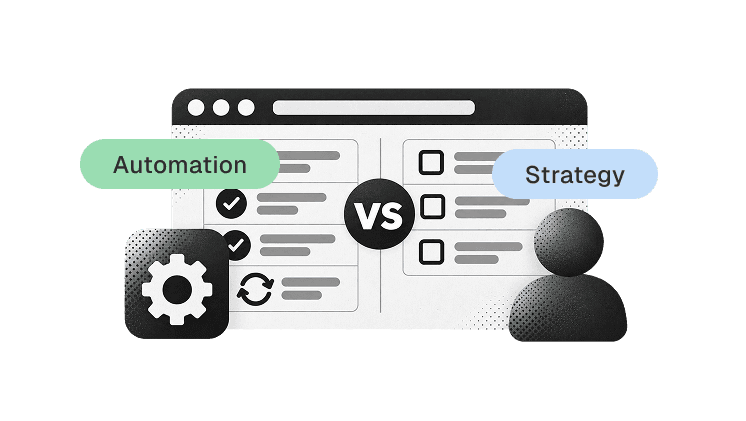
Manual testing fits new, changing, or exploratory work. Automation fits stable, repeatable, high-frequency scenarios. Most teams use both. The decision depends on the feature's stability and execution frequency.
Factor | Manual testing fits when... | Automation fits when... |
|---|---|---|
Feature stability. | Requirements change frequently. | The workflow is stable. |
Execution frequency. | The test runs once or rarely. | The test runs every build or release. |
Test type. | Exploratory or ad-hoc investigation. | Regression or smoke suite. |
Judgement required. | Human interpretation matters. | The pass/fail check is deterministic. |
Setup cost. | Low effort per execution. | High initial setup, low marginal cost. |
Manual testing works well for new features, usability judgment, and exploratory sessions. Automated testing works well for regression suites, smoke tests, and CI/CD pipelines.
The goal is not to automate the highest number of tests. The goal is to automate the tests where automation returns faster feedback or broader coverage than manual execution. PerfectQA's automation testing services follow this principle.
<info/>
💡 Practitioner Note:
I automate regression suites first. A stable regression set running on every build catches side effects within minutes. New features stay manual until the requirements stop changing. Automating a moving target wastes more time than it saves.
What Tools Are Used for Functional Testing?
Tool selection depends on application type, testing level, and team capability. No single tool covers every functional testing need.
Tool | Best for | Supports |
|---|---|---|
Selenium | Browser-based web automation. | Multiple languages, browsers. |
Playwright | Modern web and end-to-end testing. | Chromium, Firefox, WebKit. |
Cypress | Web application workflows. | JavaScript-based projects. |
Postman | API functional testing. | REST, GraphQL, authentication. |
Appium | Mobile application automation. | Android, iOS. |
Select tools based on product architecture, team skills, and maintenance effort. A tool that the team cannot maintain becomes a liability, not an asset.
What Does a Functional Test Case Look Like?
A functional test case states what is tested, the preconditions, the steps, the data, and the expected result. A well-written test case is reproducible by a different tester without additional context.
Example: User Login
Field | Value |
|---|---|
Test case ID | FT-LOGIN-001. |
Scenario | Login with valid credentials. |
Preconditions | Registered active user exists. |
Test data | Valid email and password. |
Step 1 | Open login page. |
Step 2 | Enter valid email. |
Step 3 | Enter valid password. |
Step 4 | Select login button. |
Expected result | User dashboard opens. |
Result | Pass or fail. |
The login feature needs at least 8 additional test cases for negative and edge conditions. These include wrong password, invalid email format, empty email, empty password, locked account, inactive user, repeated failed attempts, and expired session.
FAQs About Functional Testing
What is functional testing in software testing?
What are the main types of functional testing?
What is an example of functional testing?
Is functional testing black-box testing?
When is functional testing automated?
What is a functional test case?
Is regression testing functional testing?
Why choose PerfectQA services
At PerfectQA, automation is not just about speed — it’s about assurance. We combine framework expertise, proactive analysis, and audit-driven reporting to deliver testing solutions that scale with your business
Expertise and Experience: 15+ years in automation and regression testing across multiple industries
Customised Frameworks: We adapt to your tech stack, not the other way around.
State-of-the-Art Tools: Selenium, Playwright, Cypress, and CI/CD integrations.
Proactive Support: Continuous improvement through audit and debugging
About PerfectQA
PerfectQA is a global QA and automation testing company helping businesses maintain flawless software performance through manual, automated, and hybrid testing frameworks
Our mission
Deliver precision, speed, and trust with every test cycle
Learn more about our solutions
Want flawless automation?
Schedule your free test strategy consultation today and see how PerfectQA can help you achieve continuous quality at scale
Stories you could call yourn Own
Solutions and frameworks that scales with teams of any size in any industry