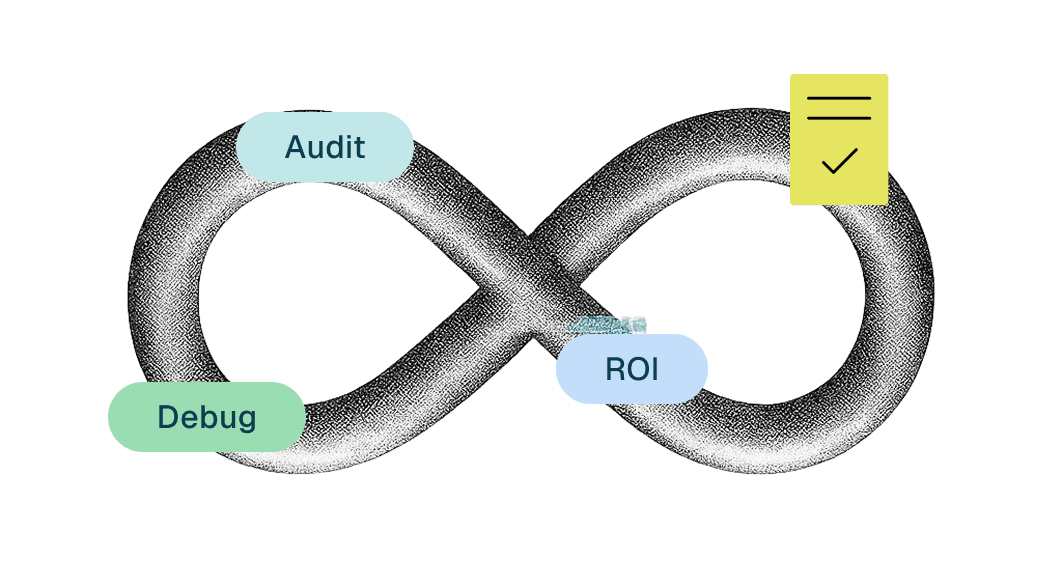
Automation Testing vs Manual Testing: Key Differences
This guide breaks down the key differences, strengths, limitations, and best use cases for both, helping teams choose the right testing strategy or combine both effectively
Table of Contents
Share
<Summary/>
Manual testing provides human insight and flexibility
Automation testing delivers speed, scale, and consistency
Neither approach replaces the other
A hybrid strategy ensures depth and breadth of coverage
PerfectQA helps teams balance both effectively
The manual vs automation testing debate has been around for decades. But in 2026, it is no longer a binary choice; it is a spectrum. Three forces are fundamentally reshaping how QA teams operate: the rise of AI-native testing tools, the emergence of autonomous testing agents, and the new challenge of testing AI-powered products themselves.
Most articles on this topic are stuck in 2021. They compare Selenium scripts to manual test cases and call it a day. This guide goes further; covering what actually separates high-performing QA teams from the rest, what tools and strategies are working right now, and how to build a testing approach that holds up as your product scales.
Manual vs Automation Testing: What They Actually Are in 2026
Before comparing the two, it is worth updating the definitions. Both have evolved significantly over the last few years, and the versions most articles describe are already outdated.
Manual Testing: Still Essential, But Evolving
Manual testing is human-driven execution of test scenarios without automated scripts. Testers interact with the application as real users would, using judgment, intuition, and domain knowledge to find issues that tools simply cannot catch.
It still wins in several key areas:
Exploratory testing: discovering unknown bugs through unscripted investigation.
Usability testing: evaluating whether the product actually feels good to use.
Accessibility testing: validating WCAG and ADA compliance requires human judgment that tools miss.
Visual and emotional UX: animations, design consistency, and subjective experience.
The modern evolution of manual testing is session-based exploratory testing, a structured approach where testers work in focused time-boxed sessions with clear charters. This makes manual work more measurable and repeatable without stripping out the human element.
When NOT to use it: large regression suites, high-frequency releases, data-heavy scenarios, or any workflow that needs to run overnight in a CI/CD pipeline.
Automation Testing: Beyond Selenium and Scripts
Automation testing uses tools, frameworks, and scripts to execute test cases without human intervention. But in 2026, automation is no longer a single thing, it is a spectrum:
Scripted automation: traditional Selenium, Cypress, Playwright; requires coding skills.
Codeless / low-code: tools like Testim, Mabl, and Katalon Studio let non-coders create and run tests using drag-and-drop or record-and-replay interfaces, with ramp-up times under a week.
AI-assisted automation: tools that use AI to generate test cases, detect UI changes, and suggest fixes.
Autonomous testing: agents that execute tests, analyze failures, apply fixes, and retry, all without human intervention.
When NOT to use it: one-off tests, early-stage features with rapidly changing UI, or scenarios where the goal is discovery rather than validation.
Head-to-Head Comparison
A quick reference across the dimensions that actually matter for your decision:
Criteria | Manual Testing | Automation Testing |
Speed | Slow | Fast |
Upfront Cost | Low | High |
Scalability | Limited | High |
Maintenance | Low | Ongoing |
Human Insight | Strong | Weak |
CI/CD Fit | Poor | Excellent |
AI-Readiness | Moderate | High |
Accessibility Testing | Excellent | Limited |
Skill Required | Domain knowledge | Coding / tooling |
Where Traditional Automation Actually Breaks Down
Automation is not a silver bullet. Most teams that have run large automation initiatives for more than two years have encountered the same set of painful problems, and most articles gloss over them.
Flaky Tests and Script Rot
Flaky tests are the tests that pass sometimes and fail other times without any code change. These are the number one reason automation testing loses credibility internally.
When a test suite regularly produces false negatives, teams start ignoring failures. The entire value of automation collapses.
Script rot compounds this. As UI and logic evolve, test scripts fall out of sync. What starts as a 200-test suite becomes 200 maintenance tickets. In many enterprise environments, more than 50% of QA engineering time goes to maintaining existing tests rather than building new coverage.
The False Promise of Automate Everything
Automation frameworks can execute steps, but they cannot understand why something failed or how to fix it. They have no contextual intelligence.
A broken selector caused by a minor UI change can kill a hundred tests at once, and every single one requires a human to diagnose and fix manually.
This is not a failure of the team, it is a structural limitation of traditional automation. The solution is not better scripts. It is a different approach entirely.
The New Third Category: AI-Augmented and Autonomous Testing
AI-native testing tools are not just faster automation. They behave fundamentally differently and understanding that difference is critical for any team building a modern QA strategy.
Self-Healing Tests
Tools like Testim, Mabl, and Applitools use AI to detect when a UI element has changed and automatically update the test to match.
This directly addresses the flakiness and maintenance problem. Tests that would previously break on every sprint now adapt on their own.
Agentic QA
The next step beyond self-healing is agentic testing. Systems where an AI agent can receive a natural language instruction like 'run the checkout journey and fix any failures', then execute the tests, analyze root causes, apply fixes, retry execution, and generate a report.
No manual orchestration required.
This is already in production at forward-thinking QA teams. It is not a future concept. The implication is significant: the bottleneck shifts from execution and debugging to context and strategy; which is exactly where human testers should be spending their time.
Testing AI Products: The Category Nobody Talks About
There is a growing category of testing that most comparison articles ignore entirely:
what happens when the product you are testing is itself powered by AI?
Traditional test assertions are binary; the output either matches the expected value or it does not.
AI-powered features are non-deterministic. The same input can produce different valid outputs on different runs. Standard automation frameworks have no way to handle this.
What AI Product Testing Actually Requires
Prompt regression testing: validating that changes to prompts or models do not degrade output quality
Hallucination detection: identifying when a model generates confident but incorrect information
Output quality scoring: evaluating responses against rubrics rather than exact match
Behavioral drift monitoring: catching when a model's behavior shifts over time without an explicit change
This type of testing requires a hybrid of human judgment and automation. Humans define what good looks like. Automation runs the checks at scale. Neither can do it alone.
Decision Framework: How to Choose the Right Approach
The right testing strategy depends on your specific context. Use this checklist across five dimensions before making a call:
1. Project Size and Release Frequency
High-frequency releases with large regression surfaces almost always justify automation investment.
Early-stage or infrequent-release products may get more value from structured manual testing until the product stabilizes.
2. Team Skill Set
If your team does not have strong coding skills, do not default to scripted automation; you will spend more time fighting the framework than testing the product.
Codeless tools have closed this gap significantly and deserve serious consideration.
3. Budget and ROI Timeline
Automation has a high upfront cost but pays off through reuse and speed over time. The break-even point is typically around the third or fourth full regression cycle.
Track defect escape rate, test coverage percentage, MTTR (mean time to recover), and flakiness rate to make the ROI case to stakeholders.
4. Compliance and Auditability
Regulated industries like finance, healthcare, legal, often require documented proof of test execution. Automated tests with version-controlled scripts and audit logs satisfy this better than manual records.
This is an underrated advantage of automation in enterprise environments.
5. Risk Profile of the Application
High-risk, customer-facing flows (checkout, authentication, payments) warrant the most coverage and the most automation.
Internal tools and low-traffic features can rely more heavily on manual exploratory testing without meaningful risk.
What to Automate vs What to Keep Manual
A practical rule of thumb: automate anything you need to run more than three times. Keep manual anything that requires judgment, discovery, or a human's eye.
High-Value Manual Scenarios
Accessibility and WCAG compliance validation.
Exploratory testing of new or unclear features.
Visual and UX evaluation; layout, animation, emotional response.
Ad-hoc testing after hotfixes or rapid changes.
User acceptance testing for complex workflows.
High-Value Automation Scenarios
Regression testing across every release.
Performance testing - load, stress, and scalability (k6, Gatling).
Security scanning - DAST and SAST integrated into the CI/CD pipeline.
Cross-browser and cross-device compatibility.
Data-heavy scenarios requiring multiple input combinations.
The testing pyramid remains a useful mental model; a broad base of fast automated unit and integration tests, a middle layer of automated API and functional tests, and a targeted top layer of manual and exploratory tests where human judgment adds the most value.
Building a Hybrid Strategy That Actually Works
Most articles end with 'use both' and leave it there. That is not a strategy. Here is what a functional hybrid approach actually looks like:
Integrate Testing Into the CI/CD Pipeline
Automation that only runs manually defeats much of its purpose. Connect your test suite to your pipeline; GitHub Actions, GitLab CI, Jenkins, so tests run automatically on every pull request.
Shift-left by running lightweight smoke tests at the PR stage and full regression overnight.
Version Control Your Tests
Treat test scripts like production code. Store them in the same repository, review them in pull requests, and track changes over time.
This is especially important in regulated industries where auditability is a compliance requirement.
Use Parallel and Cloud Execution
Running tests sequentially is a bottleneck. Cloud testing environments allow parallel execution across browsers, devices, and configurations simultaneously; cutting execution time from hours to minutes.
This is table stakes for any team on a modern release cadence.
Real-World Example
A mid-size SaaS team with 3 QA engineers moved from a 100% manual process to a hybrid approach over one quarter.
They automated their regression suite using Playwright (400 test cases), integrated it into GitHub Actions, and retained manual exploratory testing for new features and accessibility.
Result: regression cycle time dropped from 3 days to 4 hours, defect escape rate fell by 60%, and the team redirected 40% of their time to exploratory and strategic testing work.
Conclusion
In 2026, the question is no longer manual vs automation. It is how to combine human judgment, scripted automation, AI-assisted tools, and autonomous agents in a way that actually fits your team, your product, and your release cadence.
Manual testing is not dead: it is evolving. Automation is not enough on its own: it needs intelligence. And the teams pulling ahead are not the ones with the most scripts. They are the ones who know exactly where each approach adds value and build their strategy accordingly.
At PerfectQA, we help teams design testing strategies that balance all of this: tailored to your stack, your team size, and your quality goals. If you are not sure where to start, a 30-minute strategy session is the fastest way to get clarity.
Schedule a Free Test Strategy Session →
Why choose PerfectQA services
At PerfectQA, automation is not just about speed — it’s about assurance. We combine framework expertise, proactive analysis, and audit-driven reporting to deliver testing solutions that scale with your business
Expertise and Experience: 15+ years in automation and regression testing across multiple industries
Customised Frameworks: We adapt to your tech stack, not the other way around.
State-of-the-Art Tools: Selenium, Playwright, Cypress, and CI/CD integrations.
Proactive Support: Continuous improvement through audit and debugging
About PerfectQA
PerfectQA is a global QA and automation testing company helping businesses maintain flawless software performance through manual, automated, and hybrid testing frameworks
Our mission
Deliver precision, speed, and trust with every test cycle
Learn more about our solutions
Want flawless automation?
Schedule your free test strategy consultation today and see how PerfectQA can help you achieve continuous quality at scale
Stories you could call yourn Own
Solutions and frameworks that scales with teams of any size in any industry