VAPT Testing for Web, Mobile Apps and APIs: Process, Tools
A practitioner's guide to vulnerability assessment and penetration testing: what we test, how we test it, what tools we use, and what you get at the end
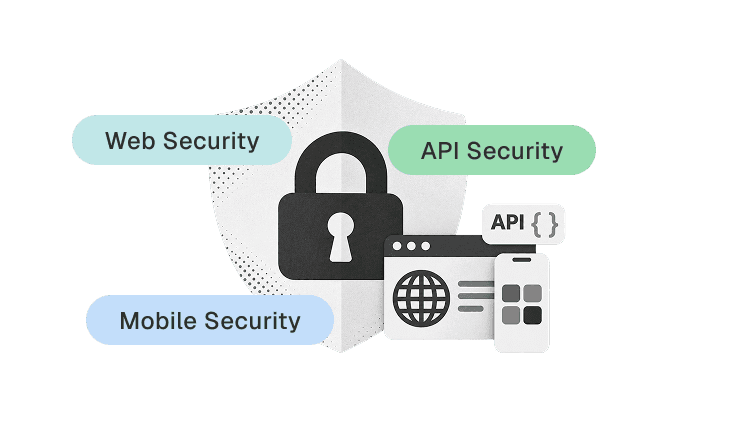
Table of Contents
Share
<Summary/>
VAPT combines automated vulnerability scanning with manual penetration testing. Running one without the other leaves real vulnerabilities either undetected or unconfirmed.
Functional testing confirms an application works. VAPT confirms it resists deliberate manipulation. Both are required.
A complete engagement covers 3 layers: web application, mobile application, and API backend. One API vulnerability exposes every client that connects to it.
PerfectQA uses Burp Suite, OWASP ZAP, and Acunetix for automated scanning. 30 to 40 percent of exploitable findings come from manual testing alone.
Every engagement delivers 4 outputs: a severity-graded report, developer fix guidance, regression retesting, and a third-party VAPT certificate.
PerfectQA's VAPT engagement for Infinium LLP's 4ig.cloud platform uncovered 18 findings, including 2 high-risk vulnerabilities. Certificate delivered within 3 weeks.
An application passes every functional test case. Login works. Forms submit. APIs return correct responses. The product ships.
Then an attacker bypasses authentication and accesses another user's data through a manipulated API parameter. A script injection executes in every user's browser.
Functional testing confirms that an application works. VAPT (Vulnerability Assessment and Penetration Testing) confirms that an application resists deliberate manipulation.
Both are required. Neither replaces the other.
At PerfectQA, I lead our security testing practice across web applications, mobile applications, and APIs. This guide explains what VAPT tests and how the process works. It covers our tools, methods, and deliverables.
What Is VAPT Testing?
VAPT combines two security testing activities: vulnerability assessment and penetration testing. Vulnerability assessment automates the identification of weaknesses. Penetration testing manually confirms real-world exploitability.
Running one without the other leaves gaps.
Vulnerability Assessment
Vulnerability assessment identifies security weaknesses using automated scanning tools and systematic checks.
The scanner evaluates the application for known vulnerability patterns. These include injection points, authentication weaknesses, authorization gaps, misconfigurations, sensitive data exposure, and session flaws.
The objective: what security weaknesses exist in the application?
Penetration Testing
Penetration testing validates whether identified weaknesses are exploitable. The tester attempts to exploit each finding within an authorized scope and measures the real business impact.
The objective: can the vulnerability be exploited, and what is the damage?
A scanner flags a form field as "potentially injectable." A tester confirms whether that injection retrieves database records.
<info/>
Practitioner Note:
A vulnerability assessment without penetration testing produces a list of theoretical risks. Penetration testing without a vulnerability assessment misses the weaknesses that need testing. We run both in every engagement because skipping either one leaves real vulnerabilities undetected or unconfirmed.
Why Do Applications Need VAPT Beyond Functional Testing?
Functional testing validates business requirements. VAPT validates security controls. An application passes functional testing by doing what it was designed to do. An application passes VAPT by resisting what it was never designed to allow.
Functional testing verifies one flow: enter username, enter password, click login, user logs in.
Security testing asks 10 additional questions about that same login:
Resist brute force attacks.
Block credential stuffing.
Prevent session hijacking after login.
Reject manipulated authentication tokens.
Enforce role-based access after authentication.
Block one user from accessing another user's data.
Sanitize all input fields against injection.
Prevent script injection through user-controlled content.
Protect API endpoints from unauthorized requests.
Secure tokens and credentials in local storage.
The OWASP Top 10 (2025 edition) identifies 5 major web application security risks. These include Broken Access Control, Security Misconfiguration, Cryptographic Failures, Injection, and Authentication Failures.
VAPT testing maps directly to these categories.
Aspect | Functional Testing | VAPT Testing |
|---|---|---|
Primary objective | Validate business requirements | Identify security weaknesses |
Testing mindset | Think like an end user | Think like an attacker |
Input approach | Valid and invalid business inputs | Manipulated security-focused inputs |
Authentication | Tests that login works | Tests that login resists attack |
Authorization | Tests expected permissions | Tests unauthorized access |
APIs | Tests API functionality | Tests API security controls |
Mobile | Tests features and usability | Tests mobile security risks |
Output | Functional defect report | Risk-graded security report |
What Does VAPT Cover Across Web, Mobile, and APIs?
VAPT tests 3 application layers: the web interface, the mobile application, and the API backend. A vulnerability in any single layer affects the entire system.
A web app, Android app, and iOS app often share the same backend APIs. One API vulnerability exposes all 3 clients.
Web Application VAPT
Web application testing covers pages, forms, authentication, authorization, sessions, and user inputs. HTTP requests, responses, cookies, headers, and business workflows are tested.
The tester evaluates every input field for injection attacks: SQL injection, XSS, and HTML injection. Every workflow is tested for access control failures.
SQL injection testing evaluates whether user input influences database queries. The tester submits crafted payloads through form fields, URL parameters, and API request bodies. The application must reject every payload.
SQL injection affects data confidentiality, integrity, and availability.
Cross-site scripting (XSS) testing evaluates whether user-controlled content executes as script in the browser. Testing targets search fields, user profiles, comments, query parameters, and error messages.
The tester checks whether the application validates, sanitizes, and encodes output.
<info/>
Practitioner Note:
SQL injection and XSS were the first 2 types tested in our Infinium engagement. These remain the most common SaaS injection vectors. We test every form field individually because scanners evaluate fields in isolation while real exploits chain inputs across multiple fields.
Mobile Application VAPT
Mobile application testing covers 5 security areas that web testing does not:
Authentication and token handling: The tester evaluates how the mobile app stores and transmits authentication tokens to the backend. Tokens saved in plain text on the device are an immediate high-risk finding.
Local data storage: Sensitive data stored on the device (credentials, tokens, PII) receives audit for encryption and access controls. The tester checks shared preferences, SQLite databases, and cache directories for exposed data.
Transport security: Communication between the mobile app and backend API is tested for TLS enforcement and certificate validation. Missing certificate pinning allows traffic interception on public networks.
API communication: Every API call from the mobile client is captured, analyzed, and tested for parameter manipulation and authorization bypasses. The tester replays requests with modified tokens and user IDs.
Application configuration: Client-side security controls, debug settings, and hardcoded credentials are reviewed. Debug mode left enabled in production exposes internal application behavior.
API Security Testing
API security testing examines every endpoint in the application's API collection.
A typical SaaS application exposes 100 to 200+ endpoints. Each endpoint receives testing for 8 security areas:
Authentication and authorization.
Broken access control.
Parameter manipulation.
Request and response validation.
Token handling.
Sensitive data exposure.
Rate limiting.
Business-logic vulnerabilities.
API testing follows a capture-and-test workflow. Intercept the request, analyze its structure, modify parameters, send the modified request, and validate the response.
<info/>
Practitioner Note:
IDOR (Insecure Direct Object Reference) ranks among the 3 most common API vulnerabilities we find. Change user_id=123 to user_id=124 in the request body. The API must reject the request. Automated scanners rarely catch IDOR because the flaw sits in business logic, not code syntax. Manual testing catches it every time.
How Does the VAPT Process Work?
PerfectQA follows a 6-step process from scope definition to certificate delivery. Each step has a defined input and output. The full cycle takes 2 to 3 weeks.
Step 1: Scope and Credential Handoff
The engagement starts with defining what gets tested.
We identify the application type (web, mobile, or both), user roles, authentication mechanisms, and critical workflows. The client provides API documentation or endpoint collections, test credentials for each user role, and access to the testing environment.
Clear scope definition matters because penetration testing requires written authorization. Every asset tested is agreed in advance.
Step 2: Attack Surface Mapping
Before testing vulnerabilities, we map every point where an attacker interacts with the system.
This includes forms, URLs, query parameters, API endpoints, and authentication flows. Cookies, tokens, request headers, file upload fields, and mobile-to-API paths are also mapped.
The goal is a complete inventory of entry points. Missed entry points mean missed vulnerabilities.
Step 3: Automated Vulnerability Scanning
We run 3 scanning tools across all in-scope surfaces.
Burp Suite scans for injection points and session handling flaws. OWASP ZAP crawls the full web application and API surface for OWASP Top 10 vulnerabilities. Acunetix runs end-to-end scanning for server configuration issues and known CVEs.
The output is a raw vulnerability inventory. Every flagged item goes into the manual testing queue.
Step 4: Manual Penetration Testing
This is where the tester validates what the scanners flagged.
A scanner reports "possible SQL injection." The tester confirms whether that injection retrieves records. A scanner flags "broken access control." The tester verifies whether a regular user accesses admin endpoints.
Manual testing also covers what scanners cannot detect: business-logic flaws, chained attack paths, and negative scenarios. A tester checks whether a discount code applies twice. The tester verifies whether a payment amount is modifiable in the request body. A deleted session token must block all further access.
<info/>
Practitioner Note:
30 to 40 percent of exploitable findings come from manual testing alone in our engagements. Automated tools miss these entirely. The tools find the surface. Manual testing confirms what an attacker exploits.
Step 5: Severity-Graded Report with Fix Guidance
Every confirmed finding goes into a structured report.
Each finding is classified as Critical, High, Medium, or Low based on exploitability and business impact. The report describes each vulnerability: where it exists, how to reproduce it, and what the business impact is. Every finding includes the exact developer fix.
The report goes to the client's development team. Fixes begin immediately.
Step 6: Regression Retest and Certificate
After the development team resolves the reported findings, we re-test every item.
Regression retesting confirms 2 things: the fix works, and the fix did not introduce new vulnerabilities. The retest results update the original report.
Once all Critical and High findings are resolved and re-verified, PerfectQA issues the third-party VAPT certificate.
What Tools Does PerfectQA Use for VAPT?
PerfectQA combines 3 automated scanning tools with manual penetration testing. Automated scanning covers breadth. Manual testing covers depth. Neither alone is sufficient.
Burp Suite
Burp Suite is PerfectQA's primary tool for HTTP traffic analysis.
Burp Suite sits between the tester's browser and the application. It intercepts every HTTP and HTTPS request the application sends. The tester reads the request, modifies parameters, headers, or cookies, sends the modified request, and observes the response.
This workflow reveals behavior invisible through the normal UI. A login form sends a POST request with a session token. Burp Suite captures that token. The tester replays the request with an expired or modified token. The application must reject it.
Burp Suite identifies injection points, authentication weaknesses, session handling flaws, and parameter manipulation opportunities.
We used Burp Suite for HTTP traffic analysis during the Infinium LLP engagement.
OWASP ZAP
OWASP ZAP is PerfectQA's primary automated vulnerability scanner.
ZAP crawls the full web application and REST API surface. ZAP follows every navigation flow and submits test payloads to every input field. It reports vulnerabilities with severity ratings and resolution guidance.
ZAP tests for all OWASP Top 10 categories: broken access control, cryptographic failures, injection, security misconfiguration, and authentication failures.
ZAP is open-source and aligns with the OWASP testing methodology. We used ZAP as the primary scanner for the Infinium LLP VAPT engagement.
Acunetix
Acunetix handles end-to-end web vulnerability scanning at the server and configuration level.
Acunetix covers server configuration issues, known CVE exposure, HTTP header auditing, broken link detection, and SSL/TLS configuration. Acunetix is strongest at catching infrastructure-level weaknesses that Burp Suite and ZAP focus less on.
Why Manual Testing Still Matters
Automated scanners detect known patterns. They do not understand business logic.
A scanner does not know that a discount field accepting negative values is a vulnerability. A scanner does not detect that a user profile page leaks another user's data when the ID parameter changes. A scanner does not catch that a file download endpoint accepts path traversal sequences.
These require a human tester who understands the application, the business rules, and the attacker's mindset.
<info/>
Practitioner Note:
The tools find the surface. Manual testing confirms what an attacker exploits. We treat scanner output as a starting list, not a final report. Every flagged item gets manual validation before it enters the client's report.
What Do You Get: Report, Fix Guidance, Retest, and Certificate?
A complete VAPT engagement delivers 4 outputs: a severity-graded report, developer fix guidance, regression retesting, and the third-party VAPT certificate. The report and certificate go to the investor or licensing body. The fix guidance goes to the development team.
Severity-Graded VAPT Report
The VAPT report classifies every finding into 4 severity levels: Critical, High, Medium, and Low.
Each finding includes 6 elements:
Vulnerability description: What the weakness is and where it exists.
Affected component: The page, endpoint, parameter, or function involved.
Reproduction evidence: Steps or screenshots to validate the finding.
Business impact: Technical and business consequences of exploitation.
Severity rating: Risk classification based on exploitability and impact.
Remediation guidance: Exact instructions the developer needs to fix it.
A typical engagement produces 15 to 40 findings across all severity levels.
The report is written for 2 audiences. The executive summary gives founders, CTOs, and investors a risk overview in 1 page. The technical detail gives developers the exact fix per finding.
Developer Fix Guidance
Fix guidance specifies exactly what the developer needs to change.
The guidance names the affected file, endpoint, or configuration. It describes the exact fix. Generic recommendations like "improve input validation" do not appear.
The guidance states which input field, which validation rule, and which response behavior requires the change. Developers act on it directly without needing a separate security consultant to interpret the report.
Regression Retest
The development team resolves the reported findings. PerfectQA re-executes every test case for resolved findings.
Regression retesting confirms 2 things: the fix works, and the fix did not introduce new vulnerabilities.
The retest results update the original report. Every finding moves from "open" to "resolved" with the retest date and verification evidence.
Third-Party VAPT Certificate
The VAPT certificate states that the application underwent third-party Vulnerability Assessment and Penetration Testing. Identified vulnerabilities were resolved. Retesting confirmed the fixes.
The certificate documents:
Application name and version.
Testing scope and methodology.
Assessment period.
Severity distribution of findings.
Remediation and retest status.
Issuing organization (PerfectQA Services).
Investors, licensing bodies, and enterprise procurement teams accept this certificate for software license approvals, funding due diligence, and vendor onboarding.
<Caution/>
Common Pitfall:
The certificate confirms that the agreed VAPT scope was completed and findings were resolved. It is evidence of assessment, not a guarantee that zero vulnerabilities remain. New code, new features, and new integrations require fresh testing.
Staging or Production: Where Does Testing Happen?
VAPT testing in production gives the most accurate results. Production reflects the real application state, real data flows, and real infrastructure.
Staging environments differ from production in API behavior, data volume, and third-party integrations. Vulnerabilities in production do not always reproduce in staging.
The switch from staging to production requires 2 changes. Update the base URL and swap the API credentials. No code changes. No redeployment.
Production testing proceeds only after written client confirmation for endpoints that modify data. We communicate the test scope, identify data-modifying endpoints, and confirm the approach with the client's technical team before execution.
<info/>
Practitioner Note:
6 out of 10 staging environments have authentication configurations that differ from production. Staging-only VAPT misses vulnerabilities tied to production-specific auth flows. We always recommend production testing and handle the data-safety coordination directly with the client's team.
Real Example: Infinium LLP (4ig.cloud)
PerfectQA completed a full VAPT engagement for Infinium LLP's 4ig.cloud data governance platform. The assessment uncovered 18 security findings. The certificate was delivered within 3 weeks.
2 of those findings were high-risk vulnerabilities in production.
Infinium LLP needed a third-party security certificate for software license approval. Internal testing did not qualify.
PerfectQA scanned the complete web application and REST API endpoints using OWASP ZAP. Manual penetration testing followed across 6 areas: authentication flows, session management, access control, input validation, file handling, and client-side dependencies.
The assessment surfaced 18 findings across 4 severity levels:
2 High-risk vulnerabilities: A path traversal issue in a file-handling API and an outdated JavaScript library with known exploits.
7 Medium-severity misconfigurations: Content Security Policy gaps, cross-domain settings, and missing clickjacking protection.
9 Low and Informational items: Information disclosure patterns and HTTP header hardening opportunities.
Every finding included step-by-step remediation guidance. Infinium's developers resolved all high and medium issues.
PerfectQA re-verified each fix through regression retesting and issued the third-party security certificate. Infinium LLP received their software license approval.
<info/>
Practitioner Note:
The path traversal in Infinium's file-handling API is a pattern seen in data-heavy SaaS products. The scanner flags the endpoint as "potentially vulnerable." Manual testing confirms whether the traversal retrieves files outside the intended directory. In this case, it did. Without manual validation, the finding stays classified as informational and the real risk goes unaddressed.
Every VAPT inquiry PerfectQA received after Infinium came through direct referrals.
PerfectQA has since completed VAPT engagements across transport, ride-sharing, and bus booking platforms. Each follows the same 6-step process.
When Is the Right Time to Perform VAPT?
VAPT is not a one-time activity. Applications change continuously, and security testing must follow.
11 scenarios trigger the need for a VAPT engagement:
Before launching a new application.
Before a major production release.
When introducing new API endpoints.
When launching a mobile application.
After major architecture changes.
After authentication or authorization changes.
When handling sensitive customer data for the first time.
Before enterprise customer onboarding.
Before a funding round or software license application.
During periodic security assessments (quarterly or annual).
After a security incident or breach.
FAQs
How long does VAPT take?
Is the VAPT certificate valid for funding due diligence?
Do you test in production or staging?
What happens after issues are fixed?
What tools do you use for VAPT?
How is VAPT different from functional testing?
Why choose PerfectQA services
At PerfectQA, automation is not just about speed — it’s about assurance. We combine framework expertise, proactive analysis, and audit-driven reporting to deliver testing solutions that scale with your business
Expertise and Experience: 15+ years in automation and regression testing across multiple industries
Customised Frameworks: We adapt to your tech stack, not the other way around.
State-of-the-Art Tools: Selenium, Playwright, Cypress, and CI/CD integrations.
Proactive Support: Continuous improvement through audit and debugging
About PerfectQA
PerfectQA is a global QA and automation testing company helping businesses maintain flawless software performance through manual, automated, and hybrid testing frameworks
Our mission
Deliver precision, speed, and trust with every test cycle
Learn more about our solutions
Want flawless automation?
Schedule your free test strategy consultation today and see how PerfectQA can help you achieve continuous quality at scale
Stories you could call yourn Own
Solutions and frameworks that scales with teams of any size in any industry


